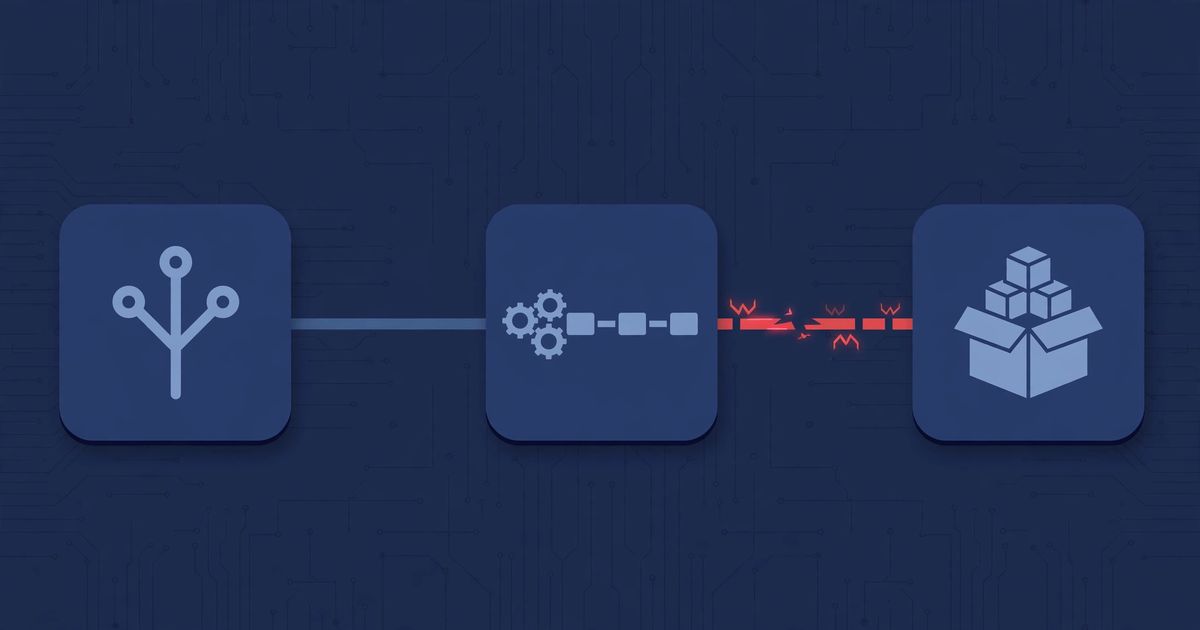
On May 11, 2026, 84 malicious versions of 42 TanStack packages appeared on npm — published from TanStack's own release workflow, with valid credentials and proper provenance attestations. No maintainer token was stolen and no maintainer account was hacked. The attack began with a pull request, waited quietly in a build cache, and struck hours later. This article turns TanStack's postmortem into an audit checklist for your own pipeline.
You do not need to use TanStack for this to matter. If your project runs npm install anywhere — on a developer laptop, in CI, in a deploy pipeline — your setup has the same moving parts: pull requests from strangers, shared build caches, publish credentials, and install scripts that run code. The TanStack incident is valuable precisely because every step of it maps to a check you can run this week.
What Happened on May 11, 2026
The story starts with a fork pull request, PR #7378. It injected a malicious script, vite_setup.mjs, of about 30,000 lines into TanStack's Router/Start repository. The pull request used the pull_request_target trigger, which runs fork-contributed code with the base repository's security context — including access to secrets. The pull request was closed with zero changed files, which made it look harmless. It was not.
While that pull request ran, its script wrote a poisoned pnpm store — 1.1 GB of it — into the GitHub Actions cache under a predictable key. Nothing exploded yet. About eight hours later, a legitimate release workflow restored that same poisoned cache, and attacker-controlled binaries went to work. The whole compromise was already in place before a single malicious package was published.
| Time (May 11, 2026) | What happened |
|---|---|
| ~7:20 a.m. ET / 11:20 a.m. UTC (approx.) | Fork PR #7378 closes with zero changed files — its pull_request_target run has already written a poisoned 1.1 GB pnpm store into the Actions cache |
| ~3:20 p.m. ET / 7:20 p.m. UTC | A legitimate release workflow restores the poisoned cache, about eight hours after the pull request ran |
| 3:20–3:26 p.m. ET / 7:20–7:26 p.m. UTC | 84 malicious versions of 42 @tanstack/* packages are published from TanStack's own workflow |
| ~3:40–3:52 p.m. ET / 7:40–7:52 p.m. UTC | StepSecurity researcher ashishkurmi flags the compromise, about 20–26 minutes after publication |
| 5:03 p.m. ET / 9:03 p.m. UTC | All 84 versions deprecated; cache entries purged; hardening PR merged; advisory published |
| Later that evening | npm removes the malicious tarballs |
| May 15, 2026 | TanStack all-clear: only the Router/Start repository was affected |
| ~Late June 2026 | GitHub changes how the Actions cache works for every repository |
The Attack Chain, Step by Step
Step one was the fork pull request. pull_request_target exists so a workflow can comment on or label a pull request from a fork, but it runs in the context of the base repository — which means it can reach secrets that ordinary pull_request workflows cannot. PR #7378 used that context to run about 30,000 lines of injected code. The pull request itself changed no files, so a reviewer scanning the diff would have seen nothing at all.
Step two was the cache. The injected script wrote a poisoned 1.1 GB pnpm store into the Actions cache, keyed predictably so a later workflow would pick it up. Caches are designed to be restored silently — that is their job — so nothing about the restore looked wrong. This is the step most teams never audit: who can write to your cache, and what would happen if the contents were hostile.
Step three was the token. The attacker-controlled binaries read /proc/<pid>/maps and /proc/<pid>/mem on the runner to extract its OIDC token, then published directly to npm. No maintainer npm token was stolen, because none was needed — the runner's own identity did the publishing. Between 19:20 and 19:26 UTC, 84 malicious versions of 42 @tanstack/* packages went live. The publish step in the workflow never even ran; the tests had failed.
For the full technical reconstruction, the osec.one writeup walks through the pull_request_target cache poisoning step by step.
Why Provenance Did Not Save Them
The malicious packages carried valid trusted-publishing credentials and SLSA Build Level 3 attestations. Provenance verification checks that a package was built by the expected workflow from the expected source — and here, that was true. The build really did run in TanStack's workflow. The problem was not the provenance; it was that the workflow itself had been poisoned hours earlier. A signature proves who built something, not whether the build was clean.
This is the hard lesson of the postmortem. Provenance is a real control, and you should still use it — but it answers one question only, and that question is not "is this package safe?" It answers "did the expected pipeline produce this?" When the pipeline itself is the compromised part, provenance becomes a stamp on a poisoned package. Defence has to reach further back, into the pull requests and caches that feed the pipeline.
What the Malware Did
The payload, dubbed Mini Shai-Hulud and attributed to threat group TeamPCP (UNC6780), arrived as a 2.3 MB file called router_init.js with three layers of obfuscation. It was not a simple credential stealer: it harvested AWS credentials through IMDSv2, Secrets Manager, and SSM, along with GCP metadata, Kubernetes service accounts, HashiCorp Vault tokens, GitHub personal access tokens, and SSH keys. Anything the build environment could reach, the malware tried to take.
It also went after AI coding tools specifically. The malware read .claude/projects/*.jsonl session history and injected hooks through .claude/settings.json — the configuration files that AI assistants use to run commands on a developer's behalf. A hook injection there turns the assistant itself into a persistence mechanism. If you use an AI coding tool, its configuration files deserve the same protection as any other credential store, because that is what they have become.
Then it spread. The malware self-propagated to more than 170 additional packages, including Mistral AI's SDK and UiPath's tooling. Each new package extended the harvest to a new set of developers and build environments. That propagation is what turned a single-repository compromise into a supply-chain incident: the blast radius was decided by dependency graphs, not by TanStack's own user base.
The Blast Radius Beyond TanStack
The damage reached well past TanStack's own packages. OpenAI confirmed two employee devices were compromised and re-signed all of its applications, including Codex. A GitHub employee was hit through a poisoned build of the Nx Console VS Code extension, and GitHub said about 3,800 internal repositories were cloned, with no customer data impact found. The incident showed how quickly a poisoned package travels from one team's build into other companies' machines.
About six weeks later, GitHub changed how the Actions cache works for every repository — the platform-level fix for the cache-poisoning step. TanStack purged its cache entries, merged a hardening pull request, and published an advisory. Its May 15 all-clear said only the Router/Start repository was affected. The platform change is a reminder that some of the most effective fixes happen above any single project, in the shared infrastructure everyone depends on.
The Optimizely supply-chain attack earlier this month, which turned 178 sites into malware dispensers through a trusted vendor script, carries the same lesson from a different direction. Two different attacks, one shared lesson: the code you did not write is the code that runs with your privileges.
Audit Your Own Pipeline: The TanStack Checklist
Every step of this attack maps to a check you can run on your own setup. Work through the list in order; each item ties to a concrete moment in the TanStack incident, not to generic advice. If you find a gap, fix the highest-leverage one first — the pull request and cache controls, which are where this attack actually entered.
Start with npm audit — then go further
Run npm audit on your project and read the output — it lists known vulnerabilities in your dependency tree, and it is the fastest first check you have. But know what it cannot see: it checks published vulnerability records, not malicious versions. The TanStack packages had no CVE when they were published, so no audit would have flagged them. That gap is why the rest of this checklist exists — an npm audit is a starting point, not a verdict.
- Review lockfile diffs on every pull request. A version bump you did not expect — especially in a widely used package — deserves a question before it merges. The malicious TanStack versions arrived as ordinary version numbers; the lockfile was the one place they would have been visible.
- Never give fork pull requests write access. Audit every workflow that uses pull_request_target: it should never run untrusted code with secrets. Use pull_request for fork code, and keep pull_request_target workflows minimal and credential-free. GitHub's security hardening guide for Actions recommends the same.
- Treat the build cache as untrusted input. Use narrow, versioned cache keys, and assume a restored cache could be hostile. The poisoned 1.1 GB pnpm store sat in the cache for eight hours before anyone noticed.
- Pin your GitHub Actions to full commit SHAs and review them on a schedule. A floating action version is a dependency you never audit.
- Block or review install scripts. postinstall scripts run code at install time — exactly the moment a malicious package wants to execute. Prefer --ignore-scripts in CI and allowlist the scripts you actually need.
- Add a dedicated npm security scanner alongside npm audit. Audit catches known vulnerabilities; a scanner that watches for unexpected publishes, typosquats, and install-script behaviour covers the malicious-package case that audit misses.
- Monitor for unexpected publishes. Detection in this incident came from outside, about 20–26 minutes after publication. Subscribe to registry advisories and watch your most-used packages for versions you did not expect.
- Protect AI coding tool configuration. Audit .claude/settings.json and session history like any credential store: review hooks, restrict what the assistant can run, and rotate anything a compromised hook could have read.
The same thinking applies beyond npm. PyPI's new security tab gives Python developers a similar view into package risk, and it is worth checking before you pip install anything unfamiliar.
Run this audit once now, and repeat it whenever your pipeline changes — a new workflow, a new cache key, a new dependency. The TanStack attack did not need a zero-day or a stolen password. It needed one over-permissioned workflow trigger and one trusted cache. Both of those are visible in your own repositories today, if you look.
Why Detection Came From Outside
TanStack did not catch its own compromise first. StepSecurity researcher ashishkurmi flagged it about 20–26 minutes after the malicious versions were published — faster than most teams' internal monitoring would have. All 84 versions were deprecated by about 21:03 UTC the same day, roughly 5:03 p.m. ET, and npm removed the tarballs later that evening. The speed of the response limited the damage, but the detection itself was luck plus an attentive outsider.
The Lesson Worth Keeping
You cannot rely on being that lucky. Build your own detection: lockfile diffing that someone actually reads, publish monitoring for the packages you depend on, and an install step that fails loudly when something unexpected appears. The TanStack postmortem is unusually honest about what went wrong, and that honesty is what makes it useful — the same failures are sitting in plenty of other repositories, waiting for a pull request to find them.
Frequently Asked Questions
How do I know if I installed a poisoned TanStack version?
Check your lockfile for @tanstack/* versions published on May 11, 2026 between 19:20 and 19:26 UTC. All 84 malicious versions were deprecated the same day, and npm removed the tarballs that evening. If you installed during that window, delete node_modules and your lockfile entries for those packages, reinstall from a clean lockfile, and rotate any credentials the install could have reached.
Does npm audit catch attacks like this?
No. npm audit checks your dependency tree against published vulnerability records, and the malicious TanStack versions had no CVE when they were published. Audit is still worth running — it catches real, known vulnerabilities — but it cannot see a malicious version. That is the job of lockfile review, publish monitoring, and a dedicated npm security scanner.
Should I stop using pull_request_target?
Not necessarily — it has legitimate uses, such as labelling or commenting on fork pull requests. What you must stop is giving it secrets or letting it run untrusted code. Use the ordinary pull_request trigger for fork code, and if you keep a pull_request_target workflow, make it minimal, credential-free, and reviewed like production code.
What is supply chain security, in practice?
It is verifying every step between a package's source and your install: who can open pull requests against the build, what the cache contains, which credentials the runner holds, and whether anyone is watching for unexpected publishes. Provenance, lockfiles, and audits are parts of it — but the TanStack incident shows the chain is only as strong as the pull requests and caches feeding it.
Why did the attack target AI coding tool configs?
Because .claude session history and settings files can hold credentials and run commands through hooks. The malware read .claude/projects/*.jsonl history and injected hooks via .claude/settings.json, turning the assistant into a persistence mechanism. Treat those configuration files like any credential store: review the hooks, limit what they can run, and rotate anything they could have exposed.