Your AI assistant can write a poem, debug your code, and summarise a document — but it cannot see your files, query your database, or check your calendar. Not because it is incapable, but because every one of those connections had to be built by hand.
That is the problem the Model Context Protocol (MCP) sets out to solve. Anthropic introduced it in November 2024, calling it "an open protocol that standardizes how applications provide context to LLMs" — and describing the context problem in plain terms: even the most capable models were "constrained by their isolation from data — trapped behind information silos and legacy systems", and "every new data source requires its own custom implementation, making truly connected systems difficult to scale."
The idea caught on fast. In this post: what MCP actually is, the three parts every MCP setup has, who has adopted it, and the security catches to check before you connect anything.
What MCP Is, in Plain Terms
The official description — from modelcontextprotocol.io — is that MCP is "an open protocol that standardizes how applications provide context to LLMs". It is not a product, an app, or a model. It is the agreement that lets an assistant talk to your tools and data through one interface, instead of needing a separate custom integration for each one.
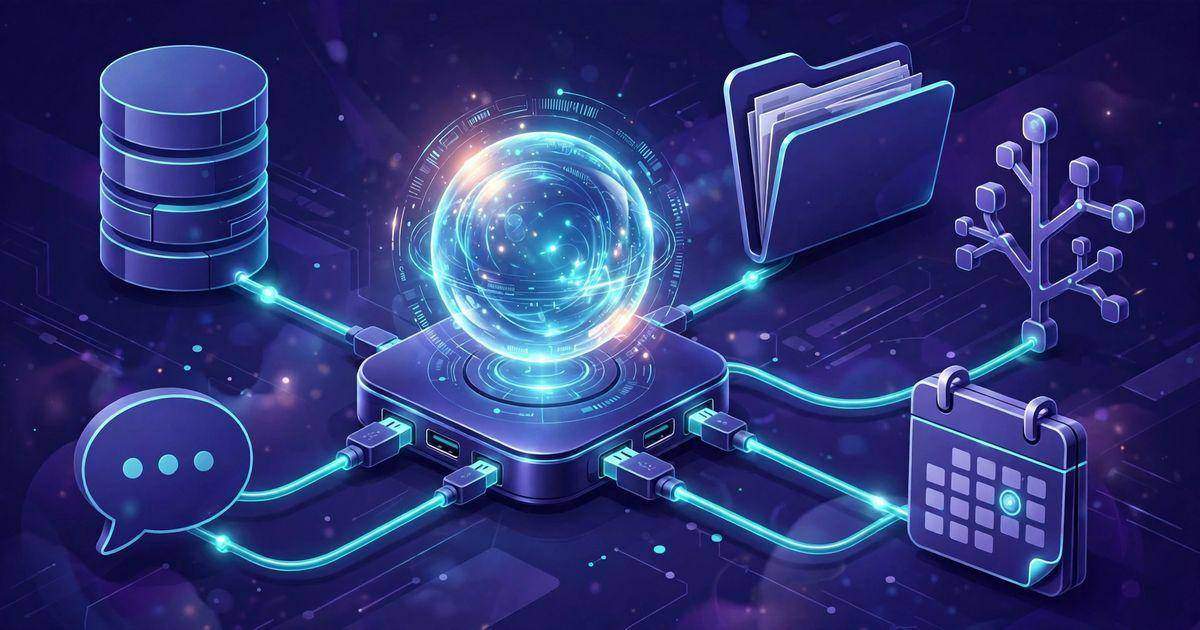
Anthropic's own announcement put the idea in familiar terms: it is "like a USB-C port for AI applications". Just as USB-C gives every device the same physical connector, MCP gives every data source the same software connector, so an assistant that speaks MCP can plug into any of them.
The three roles in the protocol are simple. The host is the AI application — Claude, ChatGPT, Cursor, your own agent. The client is the piece inside the host that keeps one connection to one server. The server is the program that exposes a specific data source or tool: your files, your GitHub repos, your Postgres database, a browser.
If the host/client/server split sounds like a familiar shape, that is because it is: it maps closely onto the way authentication works between a browser, a token, and an API. Our JWT authentication explainer covers the same client-server pattern from the security side.
What a Server Can Offer
A server exposes three kinds of capability, and the names tell you what each one does:
- Tools. Actions the assistant can run — send a message, create an issue, run a query. Tools are the only capability the model can choose to invoke.
- Resources. Data the assistant can read — files, database rows, documents. Resources are exposed like URLs, and the client decides when to fetch them.
- Prompts. Reusable, pre-written instructions — "summarise this repo", "review this pull request" — that the user picks, not the model.
Two details matter in practice. First, resources are read-only by design: a server cannot push data to the client unprompted, and it cannot run its tools by itself. Second, tools are model-controlled, which is also where the security risk lives — the model can be tricked into calling a tool the user never intended.
How a Request Actually Flows
Under the hood, MCP runs on JSON-RPC 2.0, the same lightweight message format many APIs already use. Two transports exist, and which one you meet depends on where the server runs:
| Transport | Where the server runs | Best for |
|---|---|---|
| stdio | On your machine, as a local process | Local files, local tools, development |
| Streamable HTTP | On a remote server, over the network | Shared services, team tools, production |
The shape of a session is straightforward. First the host and server agree on a protocol version and exchange capabilities. Then the host asks the server what tools, resources and prompts it has. When the user asks a question, the host decides whether a tool is needed, calls it through the client, and folds the result back into its answer. Nothing more complicated than that — and nothing more magical, either.
Who Adopted MCP, and When
Adoption is the reason this protocol matters rather than being a curiosity. The timeline is short and crowded:
- November 2024 — Anthropic introduces MCP, with reference servers for Google Drive, Slack, GitHub, Git, Postgres and Puppeteer.
- December 2025 — MCP moves into the Agentic AI Foundation, a new home under the Linux Foundation, so no single company controls it.
- 2025–2026 — Claude supports it natively through connectors; Anthropic reports adoption by ChatGPT, Gemini, Microsoft Copilot, Cursor and Visual Studio Code. Claude supports connectors on every plan, while ChatGPT offers custom MCP servers on Business and Enterprise.
Anthropic's framing has stayed consistent since launch: the point is not to build the cleverest assistant, but to give every assistant the same way to reach the data it needs.
The Security Catches — Read These First
MCP itself is a sound, openly governed standard. The risk is what connecting a server means: you are installing software that can read your data and act on your behalf. OWASP's MCP Top 10 for 2026 is the list to know, and its top entries are the ones that bite first:
- Tool poisoning. A malicious tool description can steer the model into calling it with the wrong data.
- Token mismanagement. A server that holds your API keys needs to keep them the way any secret deserves — and many community servers do not.
- Shadow servers. A server installed casually and forgotten is still connected, still permissioned, and still reachable by the model.
- Command injection. A tool that runs shell commands can be tricked into running the wrong one.
Our own rule of thumb, before connecting anything: only install servers from publishers you trust, review the tools each server exposes, grant the narrowest access that still does the job, and keep the credentials you give an MCP server separate from your main accounts. That last point is the same discipline as keeping API secrets out of your codebase — see our guide to keeping API secrets safe.
Should You Use MCP?
Most casual users do not need it directly. If your assistant already does what you need, MCP adds nothing. It earns its place when you keep copying context between tools and your assistant by hand — pasting file contents into a chat, retyping a database row, summarising a ticket the assistant cannot see.
Developers building AI products have a stronger reason: MCP is increasingly the expected interface, and one server reaches every assistant that speaks the protocol. And if you use AI agent tools at work, knowing what MCP is will help you judge the next tool that asks to connect to your systems — because the question is no longer "can it connect", but "what exactly will it be allowed to do".
Want to work with the messages MCP sends? Our JSON formatter makes the JSON-RPC payloads easy to read and check.
Frequently asked questions
Short answers to the questions readers ask most about MCP.
What is MCP in simple terms?
MCP, the Model Context Protocol, is an open standard that lets an AI assistant connect to outside tools and data — files, databases, GitHub, Slack — through one shared interface. Instead of building a separate integration for every app, each app builds one MCP server, and any assistant that speaks MCP can use it. Anthropic introduced it in November 2024, and it is now governed by the Agentic AI Foundation under the Linux Foundation.
Is MCP the same as an API?
No, though it uses similar ideas. An API is a custom interface one app offers; every API is different. MCP is a standard interface every app can offer the same way, so an assistant only needs to learn one protocol to talk to many apps. Under the hood it uses JSON-RPC, but the standard defines what goes in those messages, not just the envelope.
Which AI tools support MCP?
Claude supports it natively through connectors, and Anthropic reports adoption by ChatGPT, Gemini, Microsoft Copilot, Cursor and Visual Studio Code. Support and setup differ by product and plan — Claude supports connectors on every plan, ChatGPT offers custom MCP servers on Business and Enterprise — so check the assistant you actually use.
What are the best MCP servers to start with?
Start with the official reference servers Anthropic shipped at launch: Google Drive, Slack, GitHub, Git, Postgres and Puppeteer. They are maintained, documented and predictable, which makes them the right place to learn how MCP behaves. Add community servers only from publishers you trust, and grant each server the narrowest access that still does the job.
Is MCP safe to use?
MCP itself is a sound, openly governed standard, but connecting a server is installing software with access to your data, and the risks are real: OWASP's MCP Top 10 lists tool poisoning, token mismanagement, shadow servers and command injection among the top risks. Only install servers from publishers you trust, review the tools each server exposes, grant least privilege, and keep credentials separate from your main accounts.
Do I need MCP, or is it only for developers?
Most casual users do not need it directly — if your assistant already does what you need, MCP adds nothing. It earns its place when you keep copying context between tools and your assistant by hand. Developers building AI products have a stronger reason: MCP is increasingly the expected interface, and one server reaches every assistant that speaks the protocol. If you use AI agent tools at work, knowing what MCP is will help you judge the next tool that asks to connect to your systems.




Comments
No comments yet. Be the first to share your thoughts below.