
When a Desktop Crawler Is Overkill
Screaming Frog SEO Spider is the industry standard for technical SEO crawls, and deservedly so. But there is a specific job — checking redirect chains — where firing up a desktop crawler is overkill. If you need to trace what happens between one URL and its final destination, you can do it in a browser tab in about ten seconds, with nothing to install.
This is an honest comparison: where Screaming Frog wins, where a lightweight free alternative wins, and how to pick the right one for the task in front of you.
Disclosure: Screaming Frog and SEO Spider are trademarks of Screaming Frog Ltd. This post is an independent comparison; FrostRank is not affiliated with or endorsed by Screaming Frog Ltd.
What Screaming Frog Actually Is
Screaming Frog SEO Spider is a desktop application (Windows, macOS, Ubuntu) that crawls websites the way a search engine does and reports on everything it finds: broken links, redirect chains, duplicate content, missing meta tags, and dozens more issues. The free version crawls up to 500 URLs per session with no signup; the paid licence (around £149 per year) removes the limit and unlocks JavaScript rendering, scheduling, and integrations.
For a full technical audit of a site, it remains the tool I recommend. Nothing in a browser tab replaces a proper crawl.
The Problem It Does Not Solve Quickly
Here is the friction: to check a single redirect chain in Screaming Frog, you must have it installed, launch a Java application, configure a crawl (or at least a list mode upload), wait for the crawl, then filter to the URL you care about. On a shared or locked-down machine — a client's laptop, a library computer, a Chromebook — you may not be able to install it at all.
Redirect chain checks are also a high-frequency, low-ceremony task. After a migration you want to spot-check twenty URLs. A campaign link looks suspicious and you want to see where it really lands. Someone reports "too many redirects" and you need the chain now, not after a crawl finishes.
The Free Alternative: A Browser-Based Redirect Chain Checker
I built FrostRank's free redirect chain checker for exactly this job. Paste a URL, and it traces every hop server-side — each 301 or 302, each destination — up to 15 redirects deep, with loop detection. No install, no signup, no account, and nothing you check is stored or logged.
Why server-side matters: a request made from your browser would silently follow the whole chain and cross-origin rules would hide the intermediate status codes. The check has to happen from a server to show you each hop honestly — which is also why this particular tool runs on FrostRank's server rather than entirely in your browser like most of the suite.
Head-to-Head: Which Should You Use?
There is no single winner; they do different jobs.
| Screaming Frog SEO Spider | FrostRank Redirect Chain Checker | |
|---|---|---|
| Price | Free up to 500 URLs per crawl; paid licence for unlimited | Free, no signup |
| Install needed | Yes — desktop app (Windows, macOS, Ubuntu) | No — runs in the browser |
| Check a single redirect chain | Yes, via crawl or list mode | Yes — paste a URL, result in seconds |
| Chain depth | Follows chains within a crawl | Up to 15 hops, with loop detection |
| Full site crawl | Yes — the core job it is built for | No — single URLs only |
| JavaScript rendering | Paid version only | No |
| Works where installs are blocked | No | Yes |
| Best for | Site-wide technical SEO audits | Quick, targeted redirect checks |
- Checking one redirect chain right now: the browser tool. Ten seconds, no install.
- Auditing every redirect on a whole site: Screaming Frog. A crawler finds chains you did not know existed.
- Spot-checking URLs after a migration: the browser tool for quick verification; Screaming Frog for the comprehensive pass.
- A machine where you cannot install software: the browser tool, obviously.
- JavaScript-rendered redirects and scheduled monitoring: Screaming Frog's paid version.
- Sharing a result with a client or developer: the browser tool's copy-chain output pastes straight into a ticket.
The pattern: use the crawler for discovery across a site, and the lightweight checker for targeted verification of specific URLs. Most weeks, the targeted checks outnumber the full crawls ten to one.
How to Read a Redirect Chain
Whatever tool you use, here is what to look for in the output:
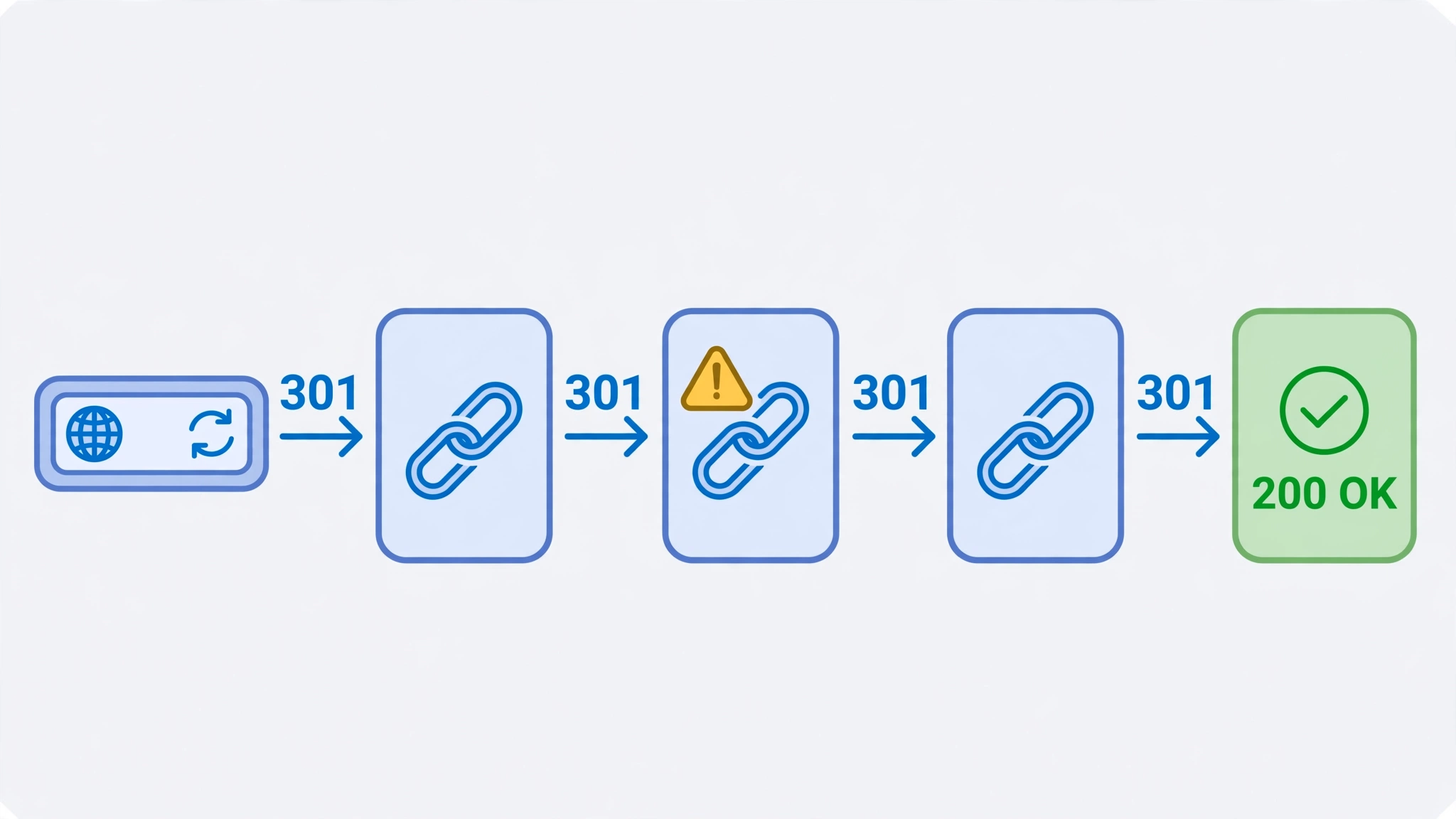
- Count the hops. One hop is ideal. Two is common after an HTTP-to-HTTPS plus www consolidation. Four or five usually means accumulated "just redirect it for now" fixes that should be shortened to point directly at the final URL.
- Check the status codes. A permanent move sent as a 302 (or 307) tells search engines the old URL might come back, so ranking signals may not transfer. Permanent moves should be 301s.
- Look for loops. A chain that eventually points back to a URL it already visited never resolves — browsers show "too many redirects" and crawlers give up.
- Verify the destination. Chains that end on a 404, or on a homepage that has nothing to do with the original page (a soft 404 in disguise), silently waste the old URL's value.
If you want the full background on which status code to use when, the site's 301 vs 302 redirects guide covers it in depth — this post stays focused on the tooling choice.
The Bottom Line
Screaming Frog earned its reputation; for site-wide technical audits it is still the first tool I reach for. But installing a desktop crawler to check a redirect chain is like hiring a surveyor to measure a doorway. For the quick, frequent job of tracing individual URLs, the free redirect chain checker does it in seconds from any browser — and that is the tool you will actually use ten times a week.
Frequently Asked Questions
Is there a free alternative to Screaming Frog?
Yes — it depends on what you need it for. For full site crawls, the free tier of Screaming Frog itself (500 URLs) plus free webmaster tools cover a lot. For quick single-URL checks like redirect chains, a free browser-based redirect chain checker gives you the answer in seconds with nothing to install.
Can I use a Screaming Frog alternative without downloading software?
Yes. Browser-based tools run entirely online — paste a URL and get the result. That is the main advantage over desktop crawlers when you are on a shared machine, a Chromebook, or any computer where you cannot install software.
What is the best free Screaming Frog alternative for redirect checks?
For checking individual redirect chains, a dedicated free redirect checker is faster than configuring a crawl: it traces each 301/302 hop server-side, shows every status code, and detects loops. Use a desktop crawler when you need to audit redirects across an entire site at once.

Comments
No comments yet. Be the first to share your thoughts below.